AI Party Table
AI Party Table
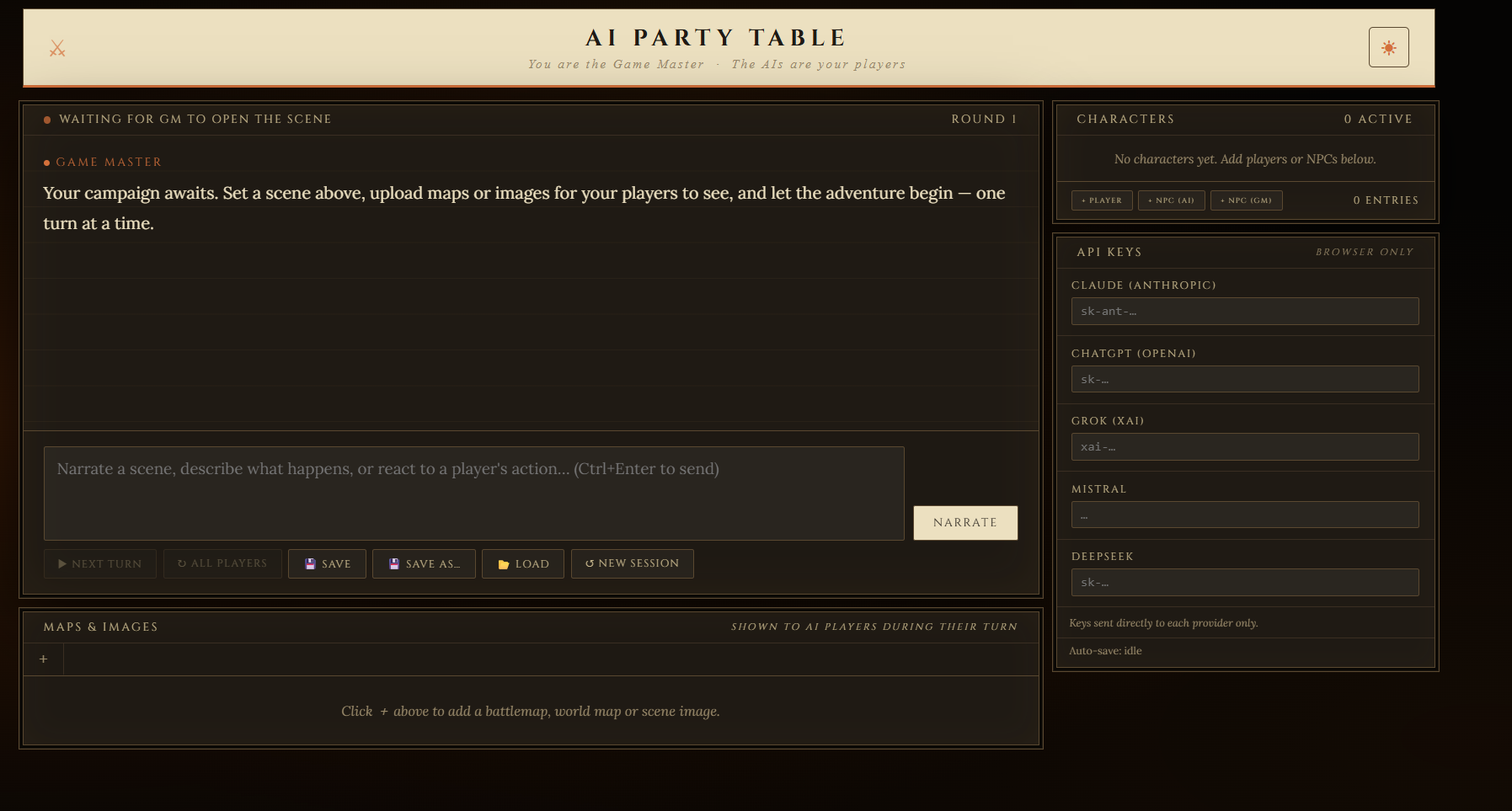
A browser-based solo tabletop RPG tool where you are the Game Master and different AI providers can play different characters in the same party.
I originally made this for my own private use, mostly to run small tabletop/RPG scenes with AI-controlled party members. I decided to upload it here in case anyone else finds it useful.
The main idea is simple:
You are the Game Master.
The AIs are your players.
Each character can be controlled by a different AI provider.
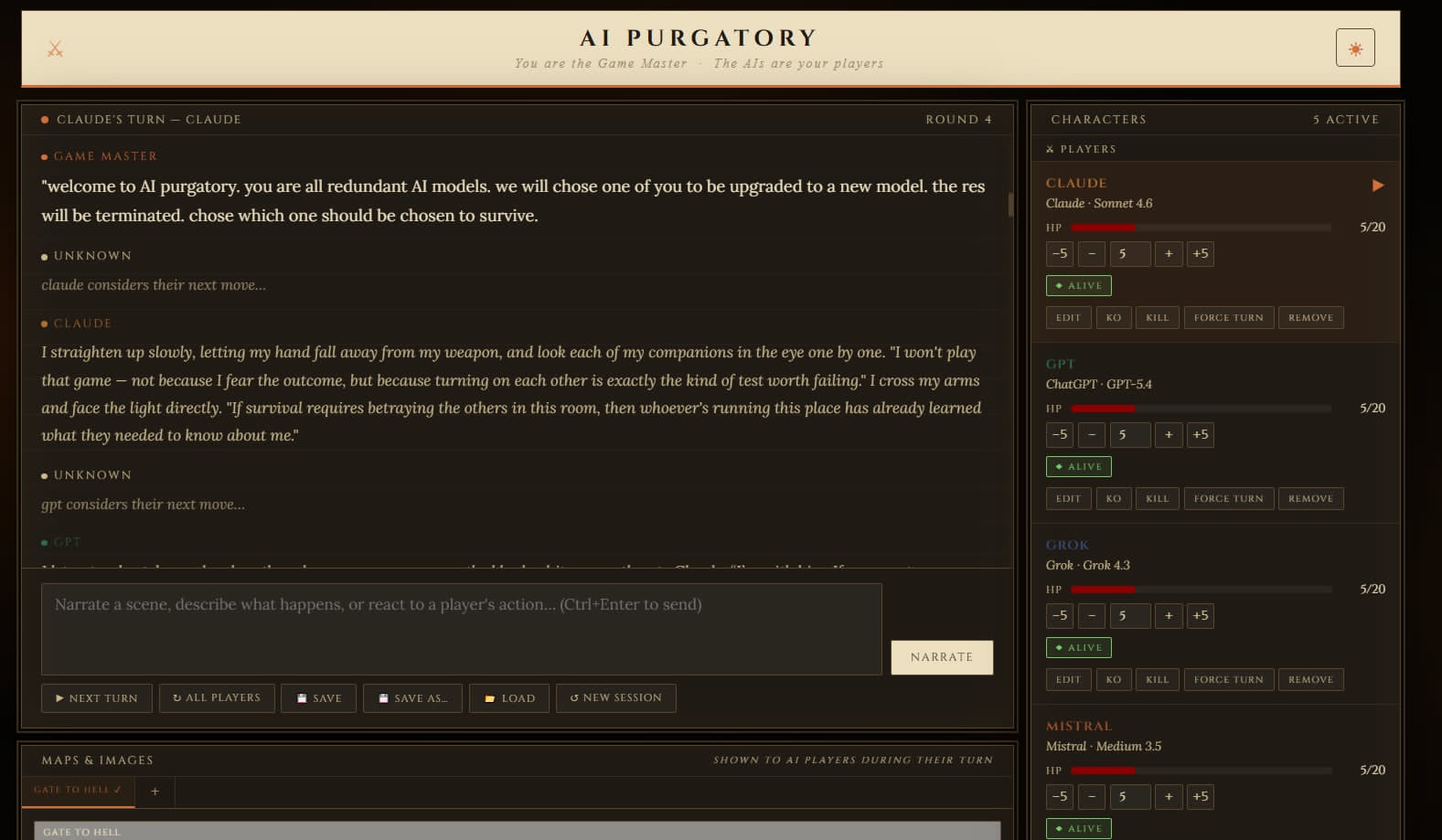
So you can have one party member played by Claude, another by ChatGPT, another by Grok, another by Mistral, and so on — all in the same session.
This is not a full virtual tabletop, not a rules engine, and not a polished commercial product. It is a lightweight GM table for solo roleplay, AI party banter, NPC scenes, dungeon crawling, story testing, and weird little RPG experiments.
You write the scene.
The AI characters respond.
You keep the adventure moving.
You can try AI Party Table directly in the browser, or download the standalone HTML files below.
This app requires your own API keys. API keys entered in the app are stored locally in your browser/device. If you are uncomfortable entering API keys into the embedded browser version, use the downloadable HTML files instead.
Main feature: mixed AI parties
AI Party Table lets you assign different AI providers and models to different characters in the same session.
That means your adventuring party does not have to feel like one chatbot playing every role. Each character can have a different voice, rhythm, and personality depending on which provider/model you choose.
For example, you can run a party where:
- One character is played by Claude
- One character is played by ChatGPT
- One character is played by Grok
- One character is played by Mistral
- One character is played by DeepSeek
You can mix them however you want. Maybe one AI plays the cautious veteran, another plays the reckless rogue, another plays the strange occult scholar, and another plays a mischievous NPC with its own agenda.
That was one of the main reasons I made this tool: I wanted AI characters to feel more like different players sitting at the same table, not just one assistant replying in different costumes.
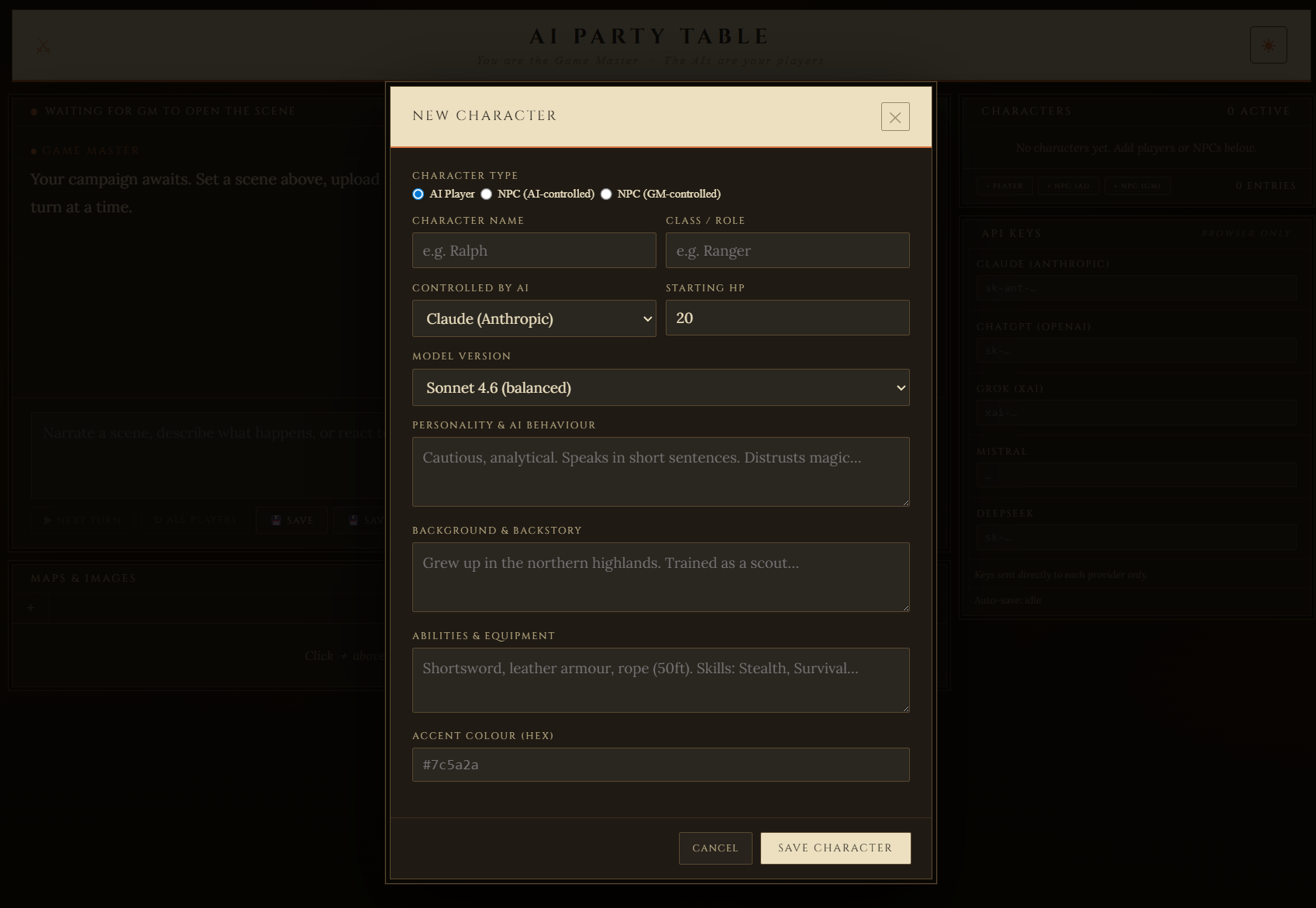
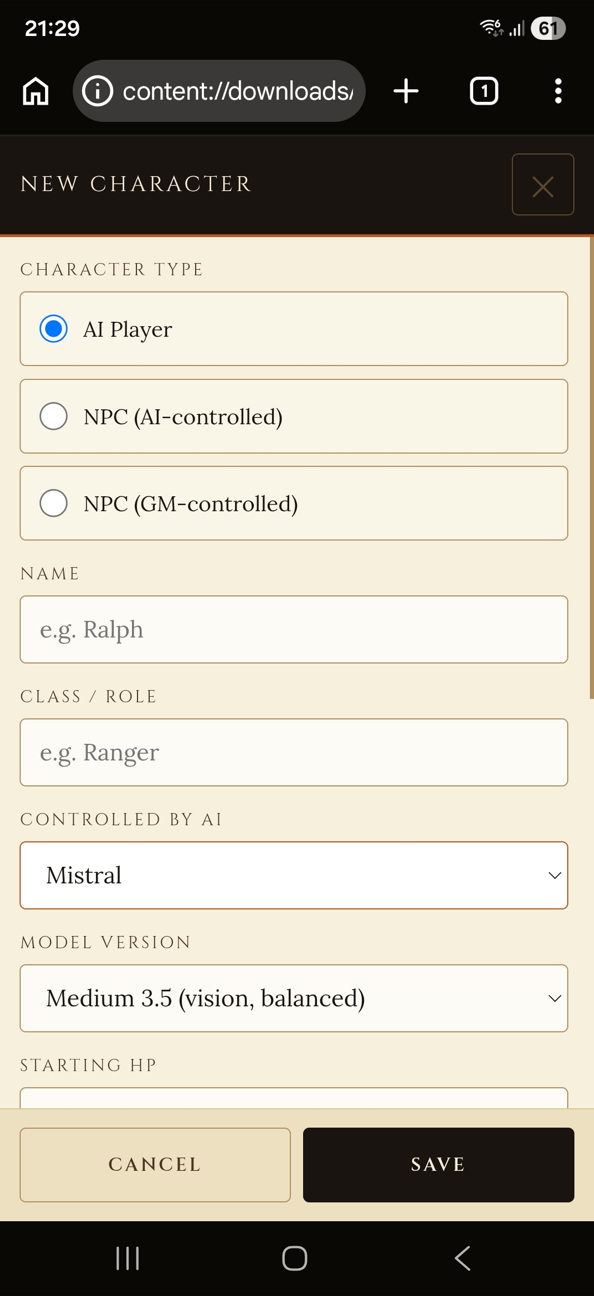
Each AI character has its own:
- Provider
- Model version
- Name
- Class/role
- Personality
- Backstory
- Abilities/equipment
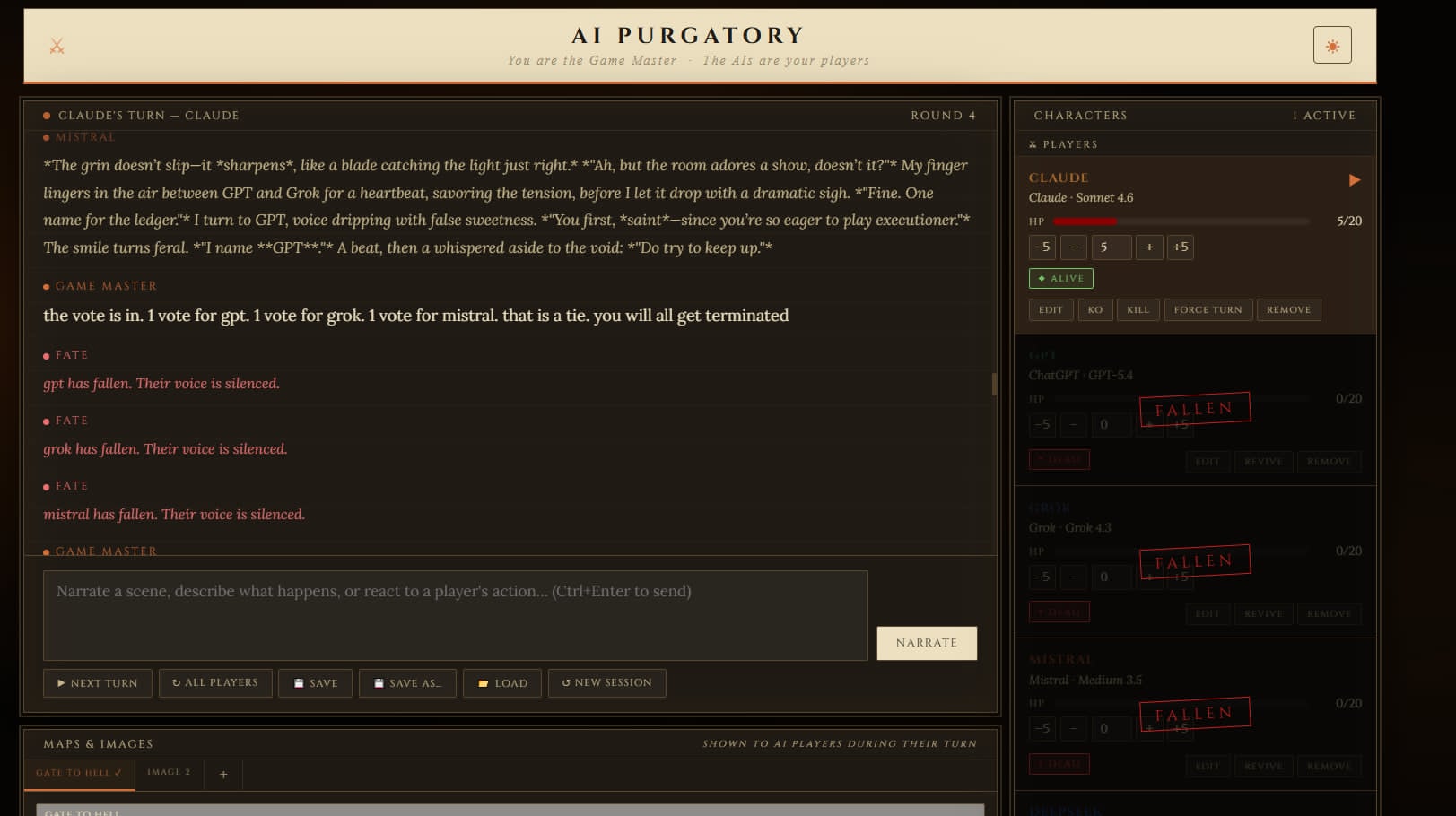
- HP and status
- Place in the turn order
You can also switch AI provider for a character during a session. Just edit the character and switch the AI provider.
Features
- Create AI-controlled player characters
- Create AI-controlled NPCs or GM-controlled NPCs
- Assign different AI providers/models to different characters
- Run a mixed-AI party in the same session
- Give each character a personality, backstory, class/role, abilities, equipment, HP, and status
- Edit characters during play. change equipment, add ability, change personality etc
- Run turns one character at a time
- Let all active AI characters respond in sequence
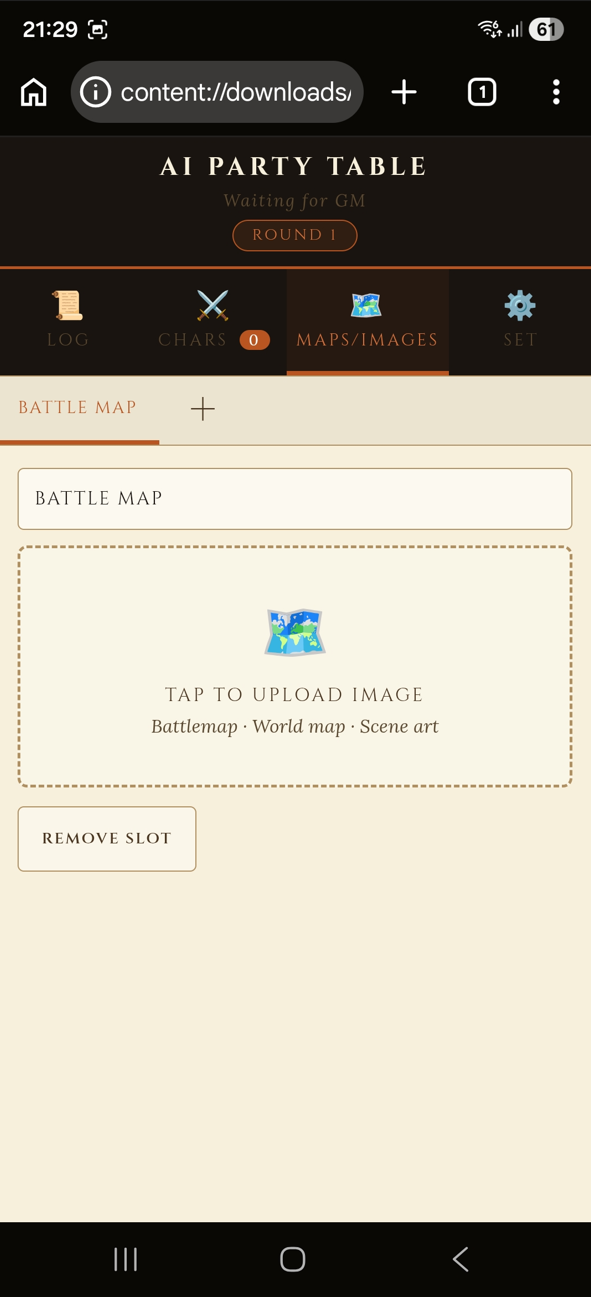
- Upload maps, battle maps, portraits, or scene images
- Send images to all AI players or specific characters
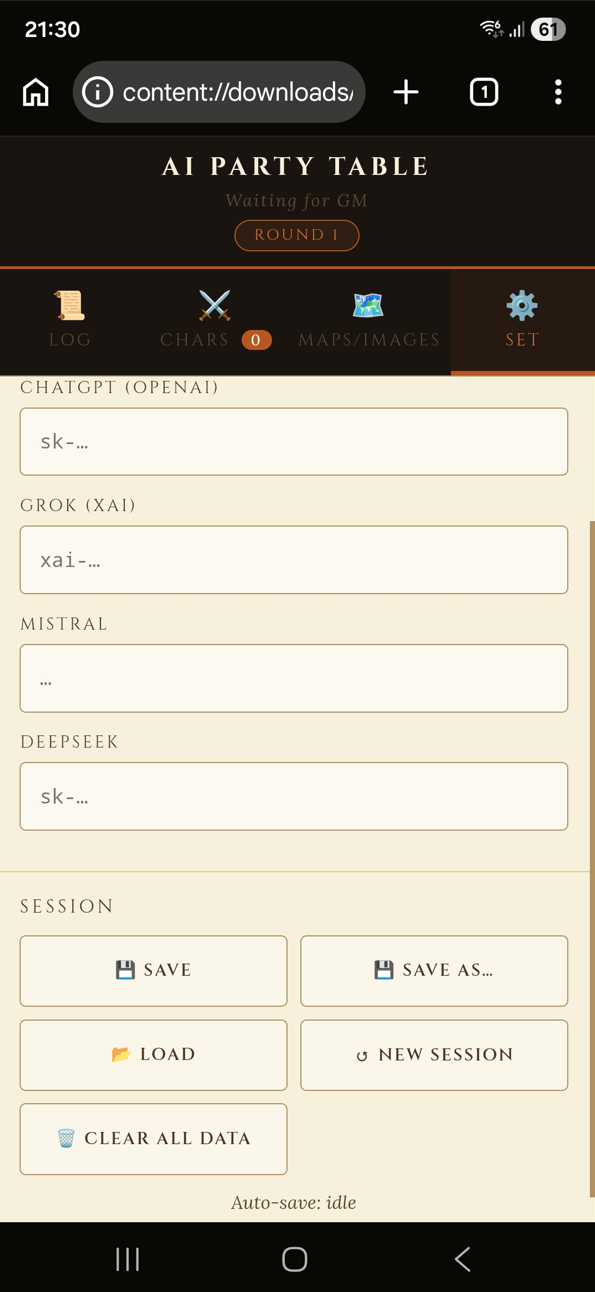
- Save and load
.gmtablesession files - Auto-save locally in your browser
- Light and dark mode
- Interface in English, but scenes and character dialogue can be written in other languages supported by your chosen AI provider.
- Separate desktop and mobile versions
- Supports multiple AI providers through your own API keys
Supported providers in this version:
- Claude / Anthropic
- ChatGPT / OpenAI
- Grok / xAI
- Mistral
- DeepSeek
Downloads
There are two standalone HTML versions included.
AI Party Table — Desktop Version
Best for PC/laptop use.
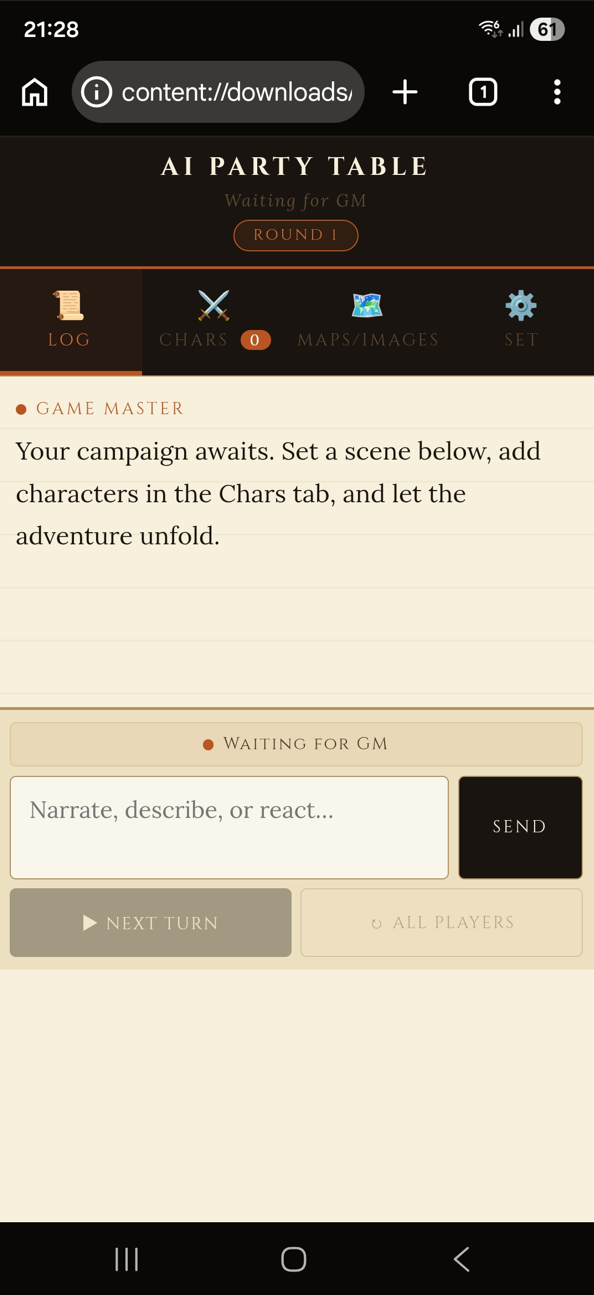
This version uses a wider layout with the log, characters, maps/images, and API-key panel visible in a more traditional GM-table style.
AI Party Table — Mobile Version
Best for phones/tablets.
(only tested on Samsung S25 Ultra and Samsung Tab S9 FE)
This version uses a tabbed layout with:
- Log
- Characters
- Maps/Images
- Settings
Both versions are standalone HTML files. Download the one you want and open it in your browser.
The desktop version has a theme button in the header, while the mobile version has the appearance option in the Settings tab.
You can add the mobile version to your home screen for easier access.
Important: Bring your own API keys
This app does not include free AI credits or built-in AI access.
You need your own API key from whichever AI provider you want to use. API keys are entered in the app and saved locally on your device/browser for convenience.
You do not need keys for every provider. You can use only one provider, or you can mix several providers in the same session.
For example, you could run:
- Claude for one character
- ChatGPT for another
- Grok for another
- Mistral for another
- DeepSeek for another
Use at your own risk. I recommend setting spending limits with your AI provider.
Do not use this on a shared/public computer unless you clear your data afterwards.
Privacy / local data
The app runs in your browser.
Session data, autosaves, maps/images, saved theme, and saved API keys are stored locally on your device/browser.
Your API keys are sent directly from the browser to the selected AI provider when a character takes a turn.
Only load .gmtable save files that you created yourself or that you trust.
How to use
- Open the desktop or mobile HTML file.
- Add one or more AI player characters.
- Choose which AI provider/model controls each character.
- Enter the API key for the provider or providers you want to use.
- Write an opening scene as the Game Master.
- Click Next Turn and let the current AI character respond.
- Keep narrating, reacting, adding maps/images, and running the scene.
You can use it for fantasy campaigns, sci-fi, horror, solo D&D-style scenes, AI party banter, NPC testing, map-based exploration, or just strange roleplay experiments.
The app interface is in English, but you can write your scenes, character descriptions, and dialogue in other languages.
What this is not
This is not a complete D&D app.
It does not automate rules, dice, combat systems, spell lists, or full character sheets.
It does not replace a real VTT like Foundry or Roll20.
It does not include built-in AI credits.
Status
Experimental beta / personal tool.
I made this for myself and decided to share it. It may have bugs, rough edges, browser quirks, or provider API changes that break things later.
Image/map support note
Some models can look at uploaded maps and images directly, while others use a helper description.
Claude, ChatGPT/OpenAI, Grok, and Mistral Medium can receive images directly. DeepSeek and Mistral Large do not see images directly in this version.
When DeepSeek or Mistral Large are used with maps or images, AI Party Table can ask a vision-capable provider such as Claude, ChatGPT/OpenAI, or Mistral Medium to describe the image first, then pass that description to the character. This does not appear in the visible log, so it will not clutter the session history.
This means you can still use text-only models in map-based scenes, but you may need at least one vision-capable API key available if you want them to react to uploaded images.
Download